
Additional Customization
Table of Contents
Overview
The Additional Customization panel, identified by the brush icon in the Properties Panel icon strip, lets you add a decorative stroke (outline) around the screen recording layer and the camera layer independently.
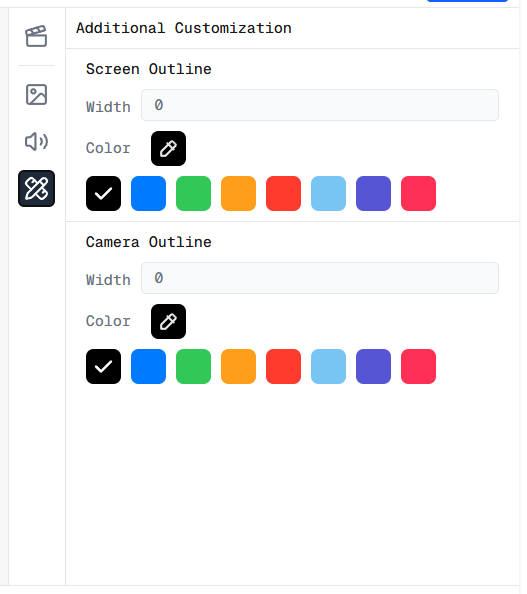
Additional Customization panel in the Screen Script Editor
Screen Outline
The Screen Outline section controls the stroke drawn around the screen recording layer.
- Width — sets the thickness of the outline in pixels. Set to
0to hide the outline entirely. - Color — choose from the predefined color swatches, or click the color picker icon to select any custom color.
Camera Outline
The Camera Outline section controls the stroke drawn around the webcam layer.
- Width — sets the thickness of the outline in pixels. Set to
0to hide the outline entirely. - Color — choose from the predefined color swatches, or click the color picker icon to select any custom color.
The Screen Outline and Camera Outline settings are fully independent — you can give each layer a different width and color, or apply an outline to just one of them.